
You can add CrossWordy to your phone or tablet home screen and open it just like an app.
There is nothing extra to download from an app store. CrossWordy runs in your browser, but adding it to your home screen gives you quicker, app-like access whenever you want to play.
Why add CrossWordy to your home screen?
Adding CrossWordy to your device makes the game easier to find and quicker to launch.
- Open CrossWordy directly from your home screen
- Play without typing the website address each time
- Get a more app-like experience
- Keep CrossWordy alongside your other favourite apps
How to install CrossWordy on iPhone or iPad
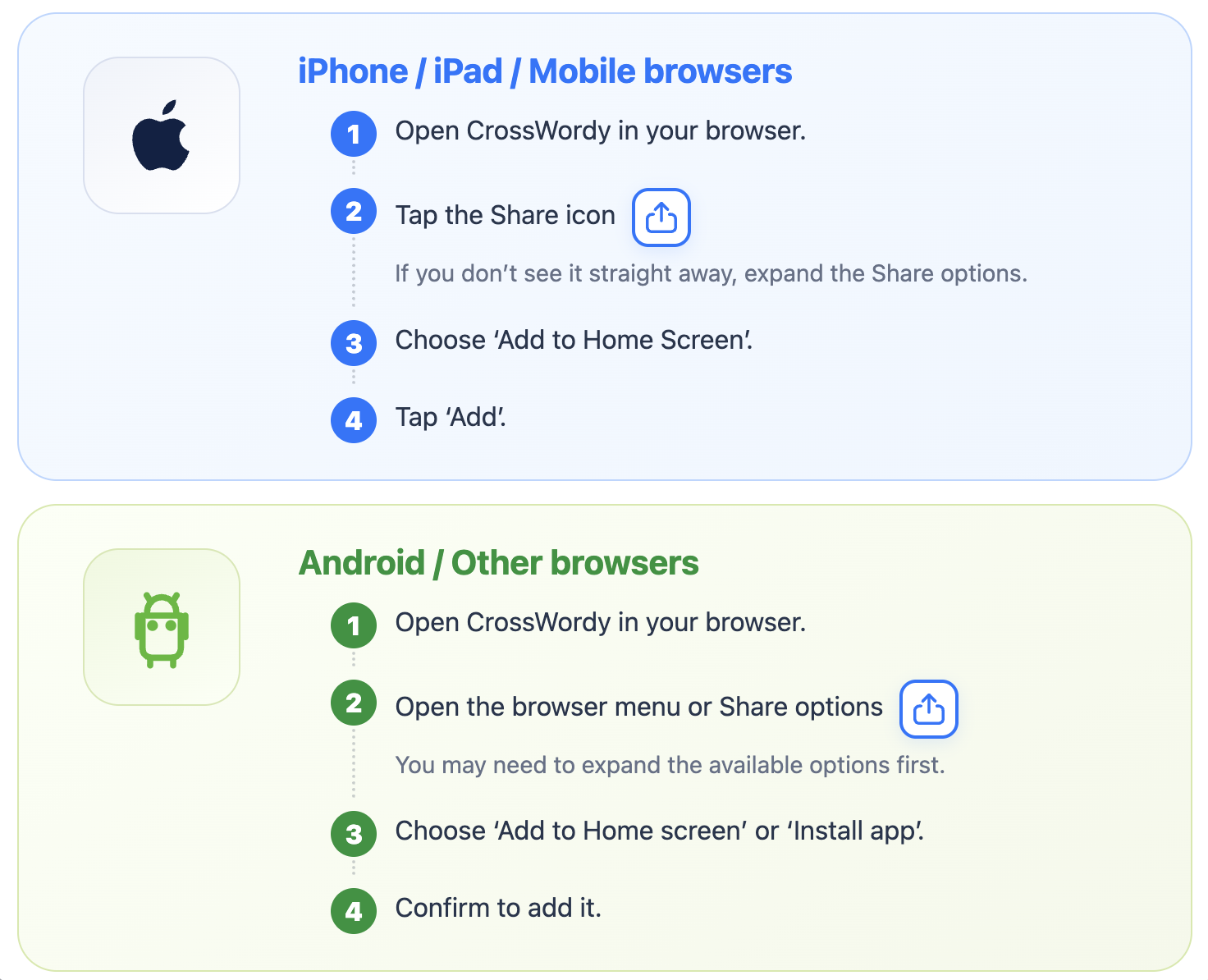
Open CrossWordy in your browser, then:
- Tap the Share icon.
- If you do not see the option immediately, expand the available Share options.
- Choose Add to Home Screen.
- Tap Add.
CrossWordy will then appear on your home screen and can be opened like any other app.
How to install CrossWordy on Android
Open CrossWordy in your browser, then:
- Open the browser menu or Share options.
- You may need to expand the available options first.
- Choose Add to Home screen or Install app.
- Confirm to add CrossWordy to your device.
The exact wording can vary slightly depending on the browser and device you are using.
Where to find the instructions in CrossWordy
You can view the installation instructions at any time from inside the game.
Open the Game Menu and choose Play as App.
The game will show the relevant steps for adding CrossWordy to your device.
No separate app store download is required
CrossWordy is designed to work directly in your browser.
Adding it to your home screen simply gives you faster access and a more app-like way to launch the game.
Ready to add CrossWordy to your device?